 ultimate-guide
Automating Client Onboarding for Service Firms
Table of Contents
- Why Automating Client Onboarding for Service Firms Pays Off
- What to Automate: Manual Tasks in Your Client Onboarding Process
- Client Onboarding Checklist for Service Businesses
- Client Onboarding Process Examples by Service Model
- Building Your Client Onboarding Email Sequence
- Choosing Client Onboarding Automation Software
- Privacy, Human Handoffs, and Measuring Onboarding ROI
- Frequently Asked Questions
Last Updated: October 9, 2026
Why Automating Client Onboarding for Service Firms Pays Off
Automating client onboarding for service firms means replacing manual intake, document chasing, and scheduling with connected workflows that trigger themselves.
Client onboarding is the sequence of steps between a signed agreement and a client who is fully set up, informed, and working with your team.
Below, we'll show you how to map your current process, which manual tasks to automate first, and how to measure whether it's working.
What to Automate: Manual Tasks in Your Client Onboarding Process
Start with repetitive tasks that happen the same way every time. Those are the safest to automate and the easiest to verify.
A common mistake is automating the messiest part of the process first. Automate the predictable steps, stabilize them, then tackle the exceptions.
Data Collection, Intake Forms, and Document Management
Client intake is the highest-value place to start. Replace email attachments with onboarding forms that write directly into your CRM, so data collection stops being a copy-paste job.
Pair that with document collection that tracks what's outstanding and sends reminders automatically. E-signature and a client portal cut the back-and-forth further, and document management keeps everything in one place instead of scattered across inboxes.
Kickoff Meeting Scheduling and Internal Handoffs
Meeting scheduling is where most onboarding stalls. Automated booking links remove the calendar ping-pong entirely, and a kickoff meeting gets on the books before momentum fades.
Internal handoff matters just as much. When a deal closes, the account manager, the delivery lead, and billing should all be notified automatically, with task assignment and a shared onboarding workflow so nothing depends on someone remembering to forward an email.
Client Onboarding Checklist for Service Businesses
A client onboarding checklist for service businesses should cover every step from signed agreement to active client. Use this as a working template:
- Signed agreement received and stored
- Client record created in the CRM with correct service package
- Intake form sent and completed
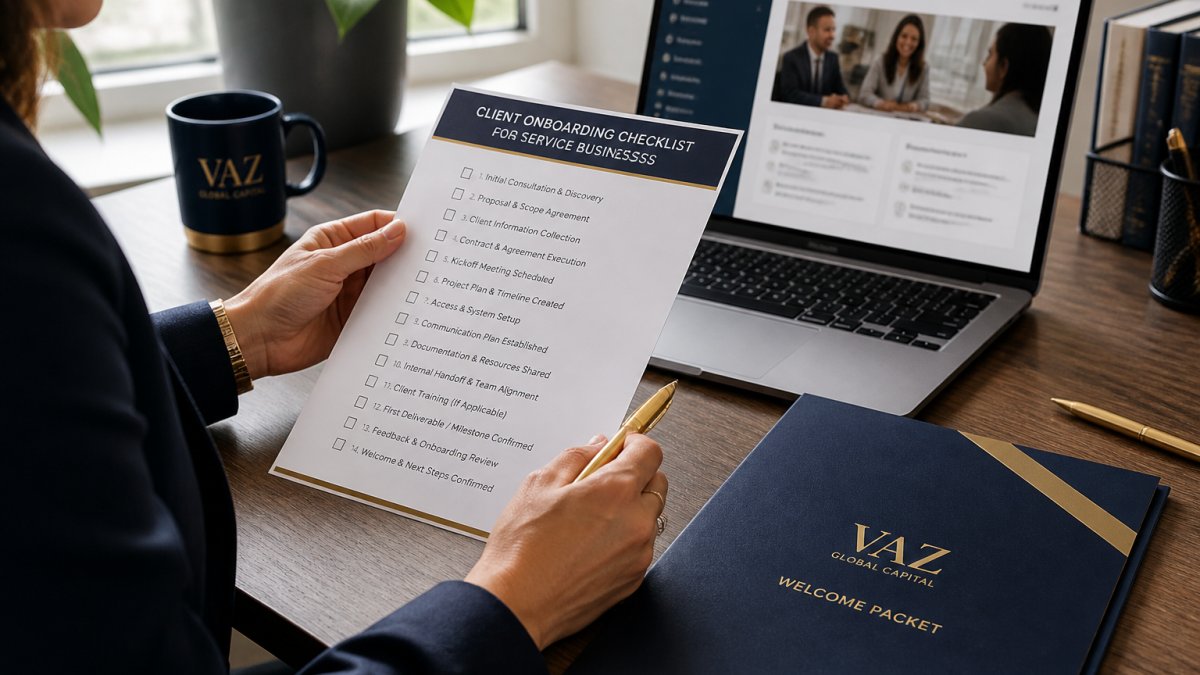
The checklist is the foundation. What changes between firms is the order, the depth, and who owns each step.
Client Onboarding Process Examples by Service Model
Client onboarding process examples differ sharply by business model, and copying another industry's flow usually creates friction.
Professional services (legal, accounting, consulting): Intake is heavier, compliance and business verification matter more, and document collection drives the timeline.
Home services: Speed wins. Fast scheduling, a clear arrival window, and automated communication between booking and service date matter more than deep intake.
Example: A Home Services Firm With a Wellness Side
Picture a firm running home services alongside a wellness offering, with leads coming in from Instagram. The two sides look different on the surface but share one requirement: a lead should never sit untouched.
A single intake form routes by service type, automated booking offers available slots, and follow-up email sequences differ per side. One system, custom onboarding paths, no duplicated admin.
Building Your Client Onboarding Email Sequence
A client onboarding email sequence is the automated communication layer that runs underneath your workflow. It keeps clients informed without anyone drafting messages by hand.
A workable sequence looks like this:
- Immediately after signing: Welcome email, what happens next, who their contact is.
- Same day: Intake form and document request.
- Day two if incomplete: Gentle reminder with a direct link.
- After documents clear: Kickoff meeting invitation.
- Before kickoff: Agenda and preparation notes.
- After kickoff: Recap, next steps, and portal access.
Each message should be short and do one job. Follow-up email that bundles four requests gets ignored; one request per message gets answered.
Choosing Client Onboarding Automation Software
Client onboarding automation software falls into three broad groups: dedicated onboarding platforms, general CRM and workflow tools, and custom workflow automation. The right choice depends less on the feature list and more on where your onboarding actually breaks.
| Option | Best For | Watch Out For |
|---|---|---|
| Dedicated onboarding platforms | Complex engagements with many stakeholders and long timelines | Built for project-heavy onboarding; verify integration fit with your CRM and billing before committing |
| CRM-based automation | Firms already running pipeline and communication in a CRM | Strong on email and task triggers; document management and e-signature often need add-ons |
| Custom workflow automation | Firms with a unique service mix or multiple business lines | Fits your process exactly, but requires documented process design and ongoing ownership |
A Selection Framework That Actually Filters
Most guides list features. A better filter is to score each candidate against the five places onboarding fails:
- Intake capture, Can it write form data directly into your CRM without a manual export, or does it stop at collecting responses?
- Document handling, Does it track outstanding items, send sequenced reminders, and support e-signature, or does it just store files?
- Scheduling, Does it book kickoff meetings against real team availability, or hand off to a separate calendar tool?
- Internal handoffs, Can it assign tasks to delivery, billing, and account management automatically when a deal closes?
- Reporting, Can you see time-to-kickoff and completion rate per client type, or only per workflow?
If a tool fails two or more of those, it will create a new manual step somewhere else in the process.
Build vs. Buy vs. Configure
A common pattern among service firms is to buy a CRM-based tool and configure it, rather than build custom automation from scratch.
A few real options appear repeatedly in current comparisons, including Rocketlane's professional services automation platform and HubSpot's customer onboarding suite, which pairs onboarding automation with self-service knowledge bases and in-app messaging.
What most guides miss is that the tool is rarely the problem. The process is.
This is where we'd start differently. At Vaz Global Capital, we design the workflow before recommending the software, then integrate it with the systems you already run. Our custom automation and system integration work is built around your service model, not a template.
Privacy, Human Handoffs, and Measuring Onboarding ROI
Two things decide whether onboarding automation survives contact with real clients: how you handle their data, and how you handle the cases that don't fit the workflow. Most guides skip both.
Privacy, Security, and Data Governance
Client onboarding moves sensitive information, engagement scope, financial details, identity documents, sometimes privileged communications, between systems and people. A few controls matter more than the rest:
- Collect only what you need. Every field on an intake form is a liability. If a field isn't used downstream, remove it.
- Limit access by role. Delivery staff rarely need billing details; billing rarely needs case files. Configure permissions per role, not per person, so access survives staff turnover.
- Secure document collection. Use a portal or e-signature tool with encryption in transit and at rest rather than email attachments. Email attachments are the most common leak path in service-firm onboarding.
Human Handoffs and Exceptions
Human handoffs are not a failure of automation. They're a design requirement. The firms that get this right define an explicit exception path rather than letting staff improvise:
- Incomplete submissions. After a set number of reminders, route to a human who calls the client rather than sending a fourth email.
- Unusual service packages. Anything outside your two or three standard paths should trigger a manual review before the workflow proceeds.
- Client preference. Some clients want a person on the phone. Build a "request a call" option into the intake form rather than forcing everyone through the same sequence.
A common pattern is to automate the first 80% of onboarding and staff the last 20% with a named owner. That split keeps the process personal where it matters and impersonal only where it doesn't.
Measuring Onboarding ROI
Before you automate, record a baseline. Without one, you can't tell whether the workflow is working or just moving faster in the wrong direction.
Track these five metrics:
- Time to kickoff, days between signed agreement and kickoff meeting held.
- Onboarding completion rate, percentage of clients who reach active status without manual intervention.
- Staff hours per client, total internal time spent on onboarding, measured before and after.
- Rework rate, percentage of onboarding steps that have to be redone because of missing or incorrect information.
- Time to first value, days between signed agreement and the client actually receiving what they bought.
Set a target for each before launch, then review at 30, 60, and 90 days. If onboarding time isn't dropping, the automation is adding steps rather than removing them, and the fix is usually to remove a step, not add a tool.
The metric that matters most is time to value: how long between signed agreement and the client actually receiving what they bought. Everything else is a proxy.
Frequently Asked Questions
How do you automate client onboarding?
Map the current onboarding process first, then automate the repetitive steps: intake forms, document collection, e-signature requests, welcome emails, kickoff scheduling, and task assignment. Connect those steps through your CRM and a workflow tool so each new client triggers the next action automatically. Keep a human review step for anything requiring judgment, such as pricing exceptions or compliance checks. Most service firms start with two or three steps, confirm they work, then expand.
What parts of client onboarding can service firms automate?
The highest-value candidates are data collection, client intake forms, document collection and management, e-signature requests, welcome and follow-up emails, kickoff meeting scheduling, task assignment, and internal handoffs between sales and delivery. Business verification and compliance checks can be partially automated with a manual approval step. Discovery calls, scope negotiations, and relationship-building conversations should stay with a person because they shape the client experience.
What tools are used to automate client onboarding?
Options range from dedicated onboarding platforms to broader CRM suites. Vaz Global Capital designs custom automation that fits your existing systems, so you can visit their website for current pricing or a quote.
How long should client onboarding take?
Timelines vary by service model and contract complexity, so set a target based on your own process rather than an industry average. The practical goal is to cut the gap between signed agreement and first delivered result, since that gap is what clients feel. Measure your current time to value, then track how automation changes it. Firms that automate intake, documents, and scheduling usually shorten the administrative portion of onboarding the most.
How do you personalize an automated client onboarding process?
Use conditional logic and service packages so each client follows a custom onboarding path based on what they bought. Personalize welcome emails with the client's name, service line, and assigned point of contact. Let clients choose kickoff meeting times rather than sending a fixed slot. Add a short personal note from the account lead at one or two points in the sequence, which keeps the automated communication from feeling generic.
How do you measure whether onboarding automation is working?
Track onboarding completion rate, time to value, number of manual touches per client, and client retention over the first few months. Compare those numbers before and after automation. A useful framework is to assign a dollar value to the hours saved and compare it against your automation costs. Review the data quarterly and adjust the workflow where clients stall, since a step that consistently causes delays usually needs a different trigger or a human follow-up.
Onboarding is where client experience and operational efficiency collide, and it's usually the first place a growing service firm feels real strain. Vaz Global Capital designs and implements tailored automation that fits your service model, from workflow design and system integration to custom automation built around how you actually work. If you're ready to stop losing time to manual client setup, get started with Vaz Global Capital and build an onboarding process that scales with you.