 how-to
Integrating Invoicing With CRM Workflows: 2026 Guide
Table of Contents
- Why Integrating Invoicing With CRM Workflows Matters for Service Businesses
- Automated Invoice Generation From CRM: How It Works
- CRM and Accounting Software Integration Best Practices
- Best CRM With Invoicing Features: What to Look For
- Automating Client Billing Workflows: From Quote to Cash
- Security, Compliance, and Tax Automation in CRM Invoicing
- Frequently Asked Questions
Last Updated: September 29, 2026
Why Integrating Invoicing With CRM Workflows Matters for Service Businesses
Integrating invoicing with CRM workflows means connecting your customer database to your billing system so invoices generate, send, and reconcile automatically from deal data. For service businesses, this closes the gap between winning work and getting paid for it.
Most service firms run two disconnected systems. Sales logs the deal in a CRM. Someone else retypes the same details into accounting software to build an invoice. That retyping is where margins quietly disappear.
A common mistake is treating invoicing as a back-office task rather than the final step of the sales process. When the two systems talk to each other, the invoice becomes a trigger-based action, not a manual chore. At Vaz Global Capital, we design these connections for service businesses that bill by project, retainer, or appointment, and the pattern is consistent: the firms that automate the handoff collect faster and argue less about paperwork.
Automated Invoice Generation From CRM: How It Works
Automated invoice generation from CRM is the process of pulling deal, contact, and line-item data directly from your customer relationship management system to create a billable invoice without manual entry. A workflow automation rule fires when a deal moves to a billable stage, and the invoice builds itself.
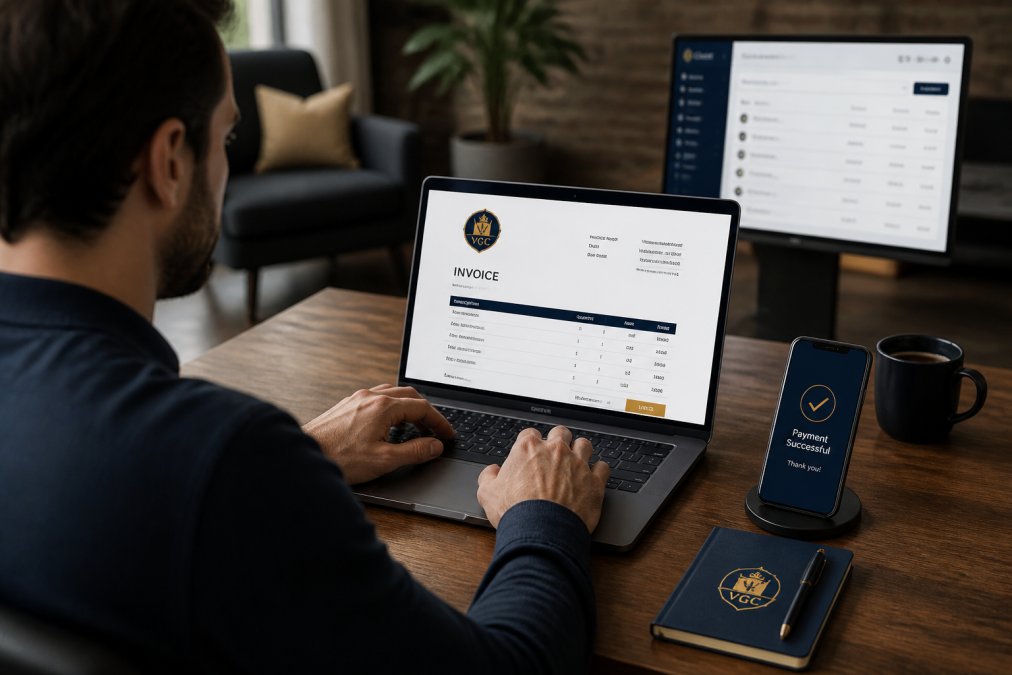
Here is the typical sequence:
- A deal closes or a milestone is marked complete in the sales pipeline
- The automation pulls the client record, contact details, and agreed line items
- An invoice generates in your accounting software with correct terms and tax fields
- The system emails the invoice and logs it against the customer billing history
- A payment link sits at the bottom, so the client pays in one click
The trigger is the important part. You decide what counts as billable, and the system handles everything downstream. That removes the manual data entry step that causes most billing delays.
CRM and Accounting Software Integration Best Practices
CRM and accounting software integration best practices come down to three things: mapping your data correctly before you connect anything, deciding in advance how the sync behaves when records conflict, and building a reconciliation routine that catches failures before a client does. Skip any one and you will spend more time fixing records than you saved.
Data Mapping and Field Alignment
Field alignment is where most integrations succeed or fail. Your CRM tracks a "deal owner" and a "company." Your accounting software wants a "customer" and a "class." These are not the same field, and the sync will not guess for you.
Map these before you switch anything on:
- Client name and billing entity (legal name vs. DBA)
- Billing address versus service address, especially for multi-site clients
- Line items, quantities, and unit rates
- Tax codes and jurisdiction
- Payment terms and due dates
- Sales rep or owner, for commission tracking
- Currency and payment method, if you bill in more than one
A useful rule: map one field, run a test invoice, then map the next.
Sync Direction, Triggers, and Conflict Rules
Before you connect anything, decide which system is the source of truth for each field. A common pattern is CRM-owns-the-deal, accounting-owns-the-ledger: the CRM pushes customer and line-item data, the accounting platform pushes back payment status and invoice numbers. If both systems can edit the same field, you will eventually get a conflict, and the sync will pick a winner you did not choose.
Decide these up front:
- Trigger: what event creates an invoice, deal stage change, milestone completion, or a scheduled date
- Direction: one-way push, one-way pull, or two-way sync, and for which fields
- Conflict rule: last-write-wins, CRM-wins, or accounting-wins, per field
- Frequency: real-time via webhooks, or batched on a schedule
Error Handling and Ledger Reconciliation
Error handling is the part most guides skip. Every integration will eventually push a bad record, a duplicate, or a partial sync. What matters is whether you catch it.
- Duplicate invoice: the trigger fires twice, or a retry creates a second record
- Orphaned record: the invoice posts but the customer link fails, leaving an unapplied payment
- Partial sync: line items push but tax or terms do not
- Stale status: the invoice is paid in accounting but still shows open in the CRM
- Mapping drift: a field is renamed in one system and the sync silently drops it
Best CRM With Invoicing Features: What to Look For
The best CRM with invoicing features is one that supports native or well-documented invoice generation, payment tracking, and two-way data synchronization with your accounting software. Feature lists look similar across platforms, so judge on how the pieces connect.
| Capability | Why It Matters | Red Flag If Missing |
|---|---|---|
| Native invoice generation | Removes retyping and errors | Requires manual export |
| Payment gateway and payment links | Speeds up collection | No online payment option |
| Recurring billing support | Handles retainers cleanly | Manual re-invoicing monthly |
| API integration and webhooks | Enables real-time status updates | Batch sync only, once daily |
| Transaction logs | Makes reconciliation possible | No audit trail |
| Tax automation | Handles multi-jurisdiction billing | Manual tax entry |
Automating Client Billing Workflows: From Quote to Cash
Automating client billing workflows means designing the full quote-to-cash path so that a signed quote becomes a scheduled invoice, then a tracked payment, then a reconciled ledger entry, with as few human touches as possible.
- Quote to deal: accepted quote creates the deal record automatically
- Deal to invoice: billable stage triggers invoice generation
- Invoice to payment: automated reminders go out on a set schedule
- Payment to ledger: the payment posts and reconciles without manual entry
Security, Compliance, and Tax Automation in CRM Invoicing
Security and compliance are the angles most integration guides ignore, and they are the ones that cost you most when they go wrong. Financial data moving between two systems needs encryption in transit and at rest, role-based access, and a clear record of who changed what. Treat the integration itself as a system with its own access rules, not as a pipe that inherits whatever permissions the two endpoints have.
What to Require From the Connection
When you evaluate an integration, native or third-party, ask for these controls specifically:
- Encryption: TLS in transit, encryption at rest on both sides
- Scoped credentials: an API key or OAuth grant limited to the fields the sync actually needs, not an admin token
- Role-based access: finance sees invoices, sales sees deal status, and neither sees more than the job requires
- Audit trail: a log of every create, update, and delete, with a timestamp and the user or system that made it
- Data residency: where the records physically live, which matters if you serve clients in regulated industries
- Retention and deletion: what happens to synced records when a client asks to be deleted
Tax Automation and Multi-Jurisdiction Billing
Tax automation deserves its own line item. Multi-jurisdiction billing means different rates and rules, and manual entry invites errors. Build tax codes into your data mapping so the invoice calculates correctly the first time, and decide which system owns the tax logic, the CRM, the accounting platform, or a dedicated tax engine. If both calculate tax, you will get two answers and no clear winner.
A workable structure:
- Store the client's tax jurisdiction on the customer record, not on the invoice
- Map product and service types to tax categories once, then reuse them
- Let the accounting or tax system calculate the rate; the CRM should pass the category, not the percentage
- Re-check rates on a schedule, since jurisdictions change them without much notice
Scalability: What Breaks First
Scalability matters here too. A workflow that works for ten clients a month may buckle at two hundred. The first things to break are API rate limits, batch windows that no longer finish overnight, and reconciliation spreadsheets that outgrow the person maintaining them. This is where CRM Automation earns its keep: instead of hand-building every trigger and sync rule, you can lean on a system designed to keep records, reminders, and handoffs moving as volume climbs.
Frequently Asked Questions
Can I automate invoicing within my existing CRM?
Yes, most modern CRMs support automated invoice generation through built-in features or third-party integrations. You can set trigger-based automation so that when a deal closes or a project milestone is reached, an invoice generates automatically. This reduces manual data entry and speeds up your billing cycle. The key is ensuring your CRM and accounting software share accurate data through proper data mapping and API integration.
What is the best CRM with invoicing features for small businesses?
The best CRM with invoicing features depends on your workflow. Look for platforms that offer native invoice generation, payment gateway connections, recurring billing support, and real-time payment tracking. For service businesses, prioritize tools with client portals and automated reminders. Evaluate whether built-in invoicing meets your needs or if a third-party accounting integration provides better financial reporting and tax compliance.
How does CRM integration improve cash flow for service businesses?
Integrating invoicing with CRM workflows improves cash flow by shortening the time between service delivery and payment collection. Automated invoice generation eliminates delays from manual entry, while trigger-based reminders reduce late payments. Real-time payment tracking gives you visibility into outstanding balances, and payment links make it easier for clients to pay quickly. Together, these reduce your billing cycle and improve operational efficiency.
How do I choose between built-in invoicing and third-party integrations?
Choose built-in invoicing if your billing needs are simple and you want fewer tools to manage. Choose third-party integrations if you need advanced accounting features like ledger reconciliation, tax compliance, or subscription management. Consider your scalability: a CRM with native invoicing may work now, but as your business grows, you may need the financial reporting depth of dedicated accounting software connected via API.